eSIM: All you need to know and how to onboard in Nigeria
According to the Mobile World Live eSIM Survey Report 2026, about 55% of global customers are unaware of the embedded SIM (eSIM). This reveals a low awareness rate of the technology, despite it being in existence since 2016.
MTN was the first to launch the technology in Nigeria and West Africa in 2020. Today, only 429,000 of its 94 million users use eSIM. However, GSMA Intelligence has projected that eSIM smartphone connections will reach 4.9 billion by 2030.
This article will spotlight all you should know about the embedded SIM (eSIM), with a specific focus on onboarding, benefits and devices that support the service.
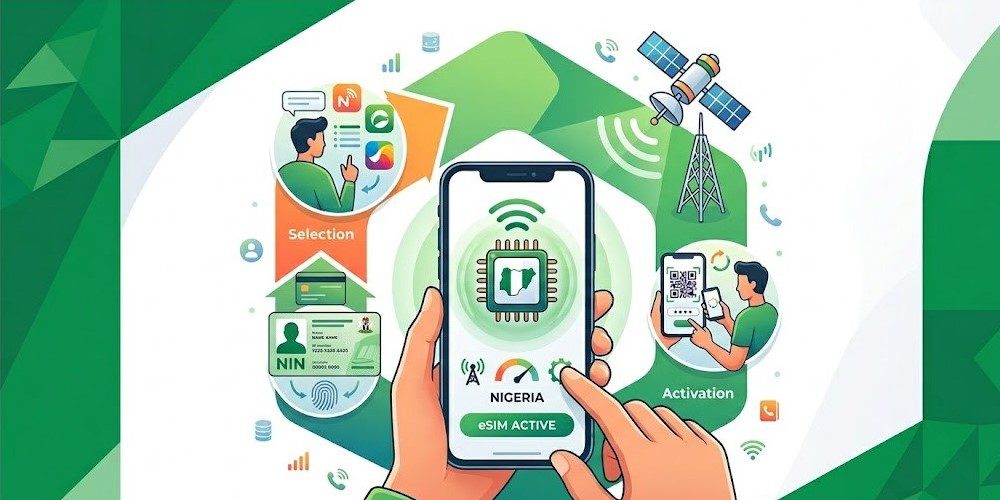 Onboarding process of eSIM in Nigeria
Also Read: MTN Nigeria added over 250k eSIM subscribers in 2025; total users now 492k.
Things to know about the eSIM
To set up or upgrade to an eSIM in Nigeria, you must fulfil some important regulatory requirements. These include:
- A compatible smartphone. Not all phones have eSIM features.
- You can either get a new eSIM or convert your physical SIM to eSIM.
- Your National Identification Number (NIN) must be verified and properly linked to your SIM.
- All Nigeria Mobile Network Operators offer eSIM services for both new lines and physical SIM-to-eSIM conversions.
- The acquisition or conversion process is not online; i.e. you will need to visit a network provider centre.
How to set up an eSIM on your phone
1. Check Compatibility: Dial *#06# on your phone to view your device’s EID (a 32-digit string) to confirm it supports eSIM.
Or simply go to your phone’s settings and type “Add eSIM” in the search bar. If it shows, it means your phone supports the setting.
2. Visit an Outlet: Go to a provider’s service centre with your NIN and valid means of identification. Note that you are not expected to pay any amount for this service.
3. Scan and Activate: Once necessary set-ups are completed on the provider’s end, the agent will provide you with a unique QR code. You’ll be required to go to your phone’s cellular/mobile settings, tap “Add eSIM,” and scan the code to activate.
Why you should consider adopting eSIM
Unlike the dominant plastic type, which most devices allow 2 SIMs, embedded SIM allows you to run multiple profiles on the same device. You can connect to all four major operators’ services by using various eSIMs.
For most iPhones with a single physical SIM slot, eSIM provides an avenue to run multiple phone lines. In fact, most Mobile Virtual Network Operators (MVNOs) such as Vitel Wireless support eSIM technology.
In terms of security, a physical SIM can easily be pulled off, making phone tracking more technical. However, an eSIM cannot be pulled from a stolen phone, making tracking easier.
To show that the technology is advancing, Apple iPhone 14 to 17 series, as well as the iPhone Air and iPhone SE, do not support physical SIM cards.
Smartphones that support eSIM
Actually, most modern smartphones support eSIM features. Below are key brands with active embedded SIM capability.
Apple iPhone
- iPhone 16, 16 Plus, 16 Pro, 16 Pro Max, 16e
- iPhone 15, 15 Plus, 15 Pro, 15 Pro Max
- iPhone 14, 14 Plus, 14 Pro, 14 Pro Max
- iPhone 13, 13 Mini, 13 Pro, 13 Pro Max
- iPhone 12, 12 Mini, 12 Pro, 12 Pro Max
- iPhone 11, 11 Pro, 11 Pro Max
- iPhone XS, XS Max, XR.
 iPhone14 pro max
Google Pixel
- Pixel 9, 9 Pro, 9 Pro XL, 9 Pro Fold, 9a
- Pixel 8, 8 Pro, 8a
- Pixel 7, 7 Pro, 7a, Fold
- Pixel 6, 6 Pro, 6a
- Pixel 5, 5aPixel 4, 4 XL, 4a
- Pixel 3, 3 XL, 3a, 3a XL
Samsung Galaxy
- Galaxy S26 Series, S25 Series, S24 Series, S23 Series, S22 Series, S21 Series
- Galaxy S20, S20+, S20 Ultra
- Galaxy Z Fold (Fold, Z Fold2 5G, Z Fold3, Z Fold4, Z Fold5, Z Fold6)
- Galaxy Z Flip (All generations from Z Flip up to Z Flip7)
- Galaxy Note 20, Note 20 Ultra
- Galaxy A Series (A35 5G, A54 5G, A55 5G, A56 5G)
Vivo
- V29, V40, V40 SE 5G, X100 Pro, X200 Pro, Vivo X200, Vivo X200s.
Xiaomi
- Xiaomi 12T Pro, Xiaomi 13, Xiaomi 13 Lite, Xiaomi 13 Pro, Xiaomi 13T, Xiaomi 13T Pro, Xiaomi 14, Xiaomi 14 Pro, Xiaomi 14T, Xiaomi 14T Pro, Xiaomi 15, Xiaomi 15 Ultra, Xiaomi 15T, and Xiaomi 15T Pro.
- Note that Redmi 13C and Xiaomi 14 Ultra are NOT compatible. The Redmi Note 13 Pro is compatible only if the eSIM feature is present in device settings.
Zte
- Nubia Flip 5G, Nubia Flip 5G S, and Nubia Flip 2 5G.
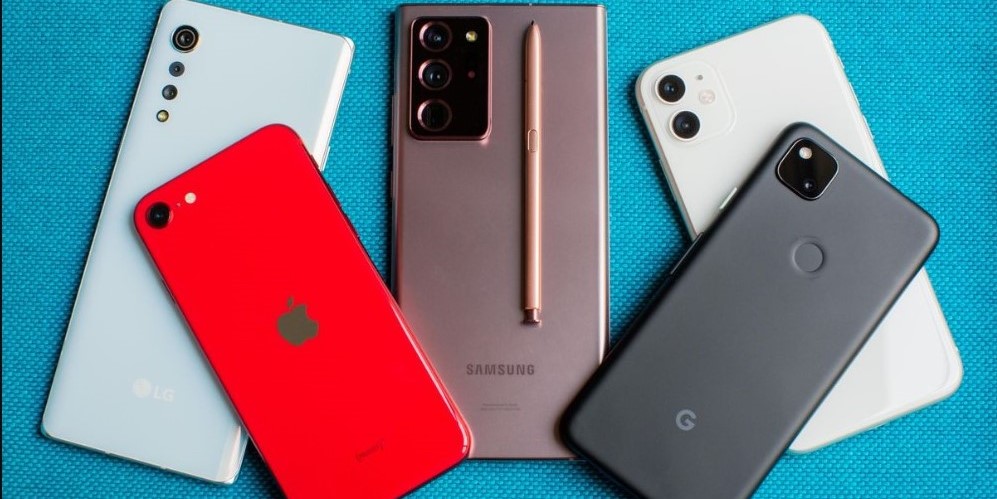 Smartphones
Sony
- Xperia 1 IV, Xperia 1 V, Xperia 1 VI, Xperia 10 III Lite, Xperia 10 IV, Xperia 10 V, Xperia 10 VI, Xperia 5 IV, Xperia 5 V, Xperia Ace III, Xperia 1 VII and Xperia 10 VII.
Redmi
- Redmi Note 13 Pro 5G, Redmi Note 13 Pro+, Redmi Note 13 Pro+ 5G, Redmi Note 14 Pro, Redmi Note 14 Pro 5G, Redmi Note 14 Pro+, Redmi Note 14 Pro+ 5G, REDMI Note 15 Pro+ and REDMI Note 15 Pro+5G.
- The Redmi Note 13 Pro is compatible only if the eSIM feature is present in device settings.
Realme
- Realme 14 Pro+ 5G, Realme GT 7 Pro, Realme 14 5G, Realme GT 7T, Realme 16 Pro 5G, and Realme 16 Pro+ 5G.
Poco
- POCO X7, POCO F8 Pro, and POCO F8 Ultra.
Honor
- HONOR 200, HONOR 200 Pro, HONOR 90, HONOR Magic V2, HONOR Magic4 Pro, HONOR Magic5 Pro, HONOR Magic6 Pro, HONOR 400 Lite, and HONOR Magic V3.
- HONOR Magic7 Lite, HONOR Magic7 Pro, HONOR 400, HONOR 400 Pro, HONOR Magic V5, HONOR Magic8 Lite, and HONOR Magic8 Pro.
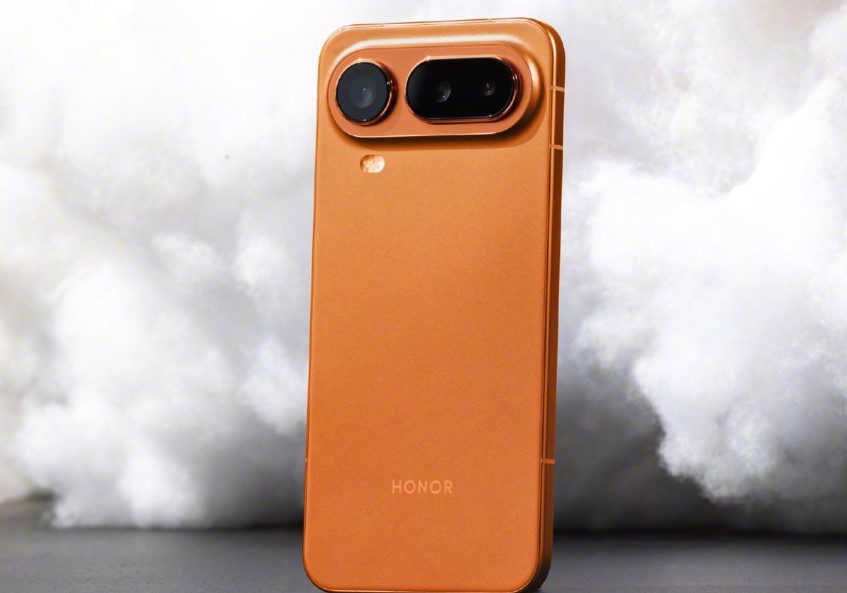 Honor Magic 8 Pro Air
Asus
- Zenfone 12 Ultra
Huawei
- P40, P40 Pro, Mate 40 Pro, and Pura 70 Pro.
- Huawei P40 Pro+ and P50 are NOT compatible.
Nokia
- Nokia G60 5G, Nokia X30 5G, and Nokia XR21.
Oppo
- A55s 5G, Find N2 Flip, Find X3 Pro, Find X5, Find X5 Pro, OPPO Reno5 A, Reno5 A, Reno6 Pro+ 5G, Find N5, Find X8, and Find X8 Pro.
- Reno13, Reno13 F, Reno13 F 5G, Reno13 Pro, Reno13 Pro 5G, Reno14, Reno14 5G, Reno14 F 5G, Reno14 F 5G/Reno14 FS 5G, Reno14 Pro, and Reno14 Pro 5G.
- Find X9, Find X9 PRO, Reno15, Reno15 Pro, Reno15 5G, Reno15 C 5G, Reno15 F 5G, Reno15 F 5G/Reno15 A, Reno15 FS 5G/Reno15 F 5G, Reno15 Pro 5G, and Reno15 Pro Max 5G.
Other brands are Motorola, T-Mobile and Sharp.


You May Also Like

Q2 Market Insights: Bitcoin regains dominance in risk-averse environment, ETFs remain critical to market structure

Iran Parliament Speaker condemns Trump threats over energy infrastructure
Crypto News Today: AlphaPepe Nears Third CEX Partnership as Ethereum Price Prediction Targets $7,000