

How to get a KCC Address using MetaMask Wallet?
The acquisition of a KCC address using the MetaMask Wallet is a pretty simple task that requires a few codes at the place. But before making our progress to that point in the article, it is acceptable that we know the fundamentals first. Therefore, we have devised this article on how to get a KCC Address, which is a rather descriptive piece to help our naïve readers know the basics of KCC as well.
Built by KCS’ and KuCoin’s fan communities, KCC is a robust model of a high-performance and decentralized public chain. It is developed based on go-ethereum with the sole motive of providing community users with a higher-speed, convenient and low-cost blockchain user experience.
Summary
- KCC is a robust model of a high-performance and decentralized public chain built by KCS’ and KuCoin’s fan communities.
- The community’s mission is to accelerate the flow of assets around the world without any complications.
- It is developed with the sole motive of providing community users with a higher-speed, convenient and low-cost blockchain user experience.
- Getting KCC’ address using a MetaMask Wallet requires a mainnet code which is mentioned below in the article.
- KCC fully supports EVM and is completely friendly to Ethereum developers.
What is KCC?
Before moving ahead with the process, it’s essential to know the basics of KCC. Built by KCS’ and KuCoin’s fan communities, KCC is a robust model of a high-performance and decentralized public chain. The community’s mission is to accelerate the value flow, or in simpler terms, the flow of assets around the world without any complications.
In addition to the high-performance device, it is also inexpensive, adding to the further merits of the blockchain. It is developed based on go-ethereum with the sole motive of providing community users with a higher-speed, convenient and low-cost blockchain user experience.
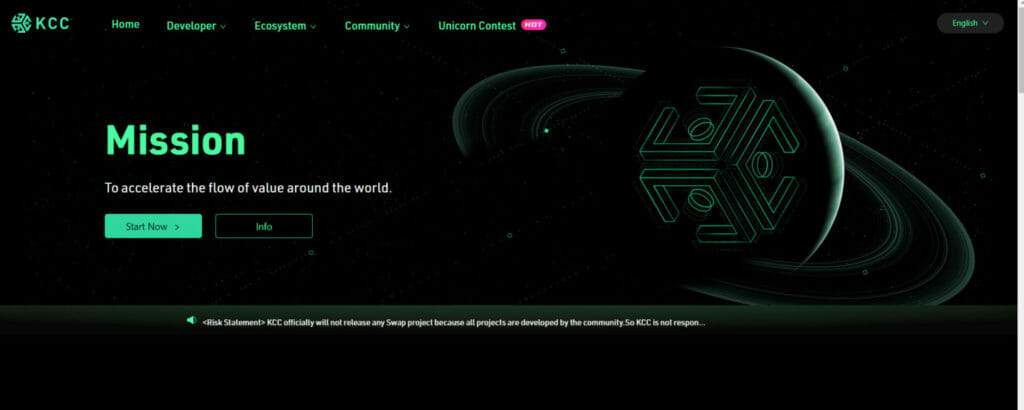 KCC
KCC
Also Read: How to Connect Polygon Network to Metamask?
KCC Features:
Now, it is also of prime importance to know the thriving characteristics of this blockchain to know what you are getting into. The primary characteristics include:
- Full compatibility with Ethereum and ERC-20 smart contracts, in addition with the extremely low migration costs;
- KCS will serve as the only fundamental fuel for this chain contributing to the security.
- The native token for KCC can be used in simple and homely situations such as gas and water fee payments;
- Faster transaction and higher chain performance is a thriving feature of this chain and is guaranteed by a block every 3 seconds;
- Proof of Staked Authority (PoSA) consensus algorithm is used in developing it, resulting in high efficiency, security and stability.
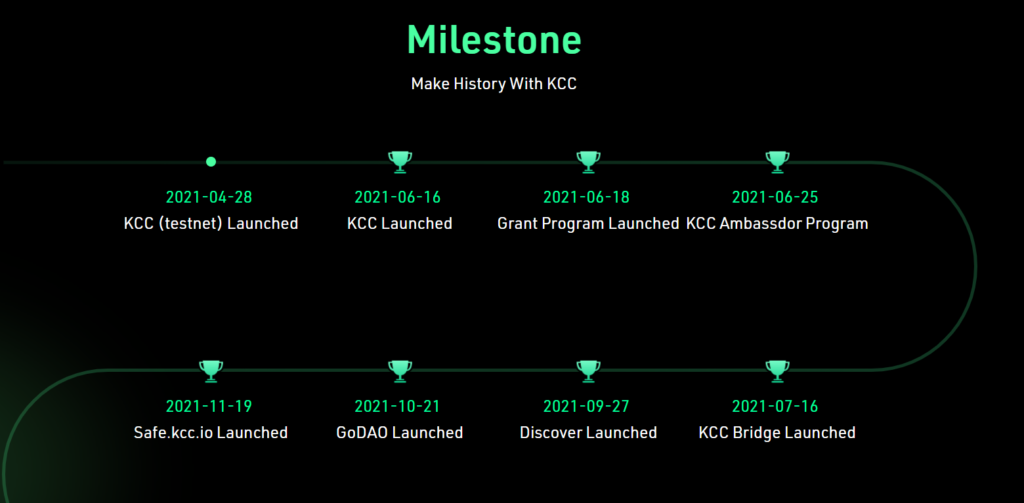 KCC features:
How to get a KCC Address using MetaMask Wallet?
Getting a KCC address using the MetaMask wallet requires you to first configure your wallet. The mainnet code is the primary thing to grab for grabbing your KCC address. The Community users can use any Ethereum compatible wallet to configure with KCC network params, like Metamask, Myetherwallet, imtoken, TokenPocket, etc. But in this article, we are interested in the MetaMask wallet.
For configuring it, you are called to follow the below three steps:
- Open your MetaMask wallet on your mobile. You will find the default Ethereum Mainnet.
You can also use the Chrome extension to configure it on your desktop.
- Click on [Ethereum Mainnet] as shown in the figure. It will follow up with a drop-down menu.
![How to get a KCC Address using MetaMask Wallet?: Click on [Ethereum Mainnet]](https://coincodecap.com/wp-content/uploads/2022/03/image-115.png) Click on [Ethereum Mainnet]
Click on [Ethereum Mainnet]
- In the drop-down menu, you will find the [Add Network]. Click on that option.
 Add network
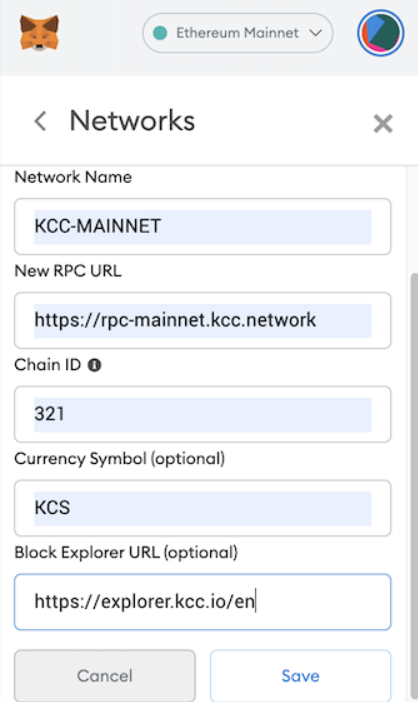
- Fill in the config value in order to change the KCC Mainnet.
Mainnet Code
- Chain Name: KCC-MAINNET
- Chain ID: 321 Symbol: KCS
- RPC URL: https://rpc-mainnet.kcc.network
- Explorer URL: https://explorer.kcc.io/en
- WebSocket RPC URL: wss://rpc-ws-mainnet.kcc.network
- The work is done. Click to copy the address and fill in the Submit Address.
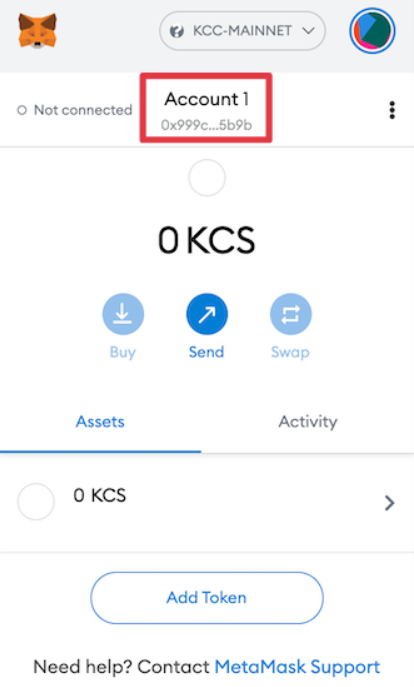 Submit Address
KCC community
As mentioned earlier, KCC is a blockchain designed and developed by KCS’ and KuCoin’s fan communities. It is a decentralized global network with developers and community members from all around the world. To be a part of this community, you can join their social groups on various platforms like Twitter, Telegram, Github, and Discord.
 KCC community
Conclusion
The steps for getting the KCC address using a MetaMask wallet are fairly simple. We have tried to include every possible information regarding the topic in this article, in a step-by-step manner. A few other pieces of information are also given to give you all an in-depth knowledge about the topic. Hope this helped you in resolving your doubts.
Frequently Asked Questions
What is the consensus mechanism of KCC?
KCC adopts the PoSA consensus mechanism, consisting of a low-cost system, robust and high-performance processor, and stable block generation supporting up to 29 validator nodes.
Does KCC support EVM?
KCC fully supports EVM and is completely friendly to Ethereum developers.
How to configure MetaMask Wallet?
Open MetaMask, click【Ethereum mainnet】, click【custom RPC】on the drop menu, Fill the given config value and save. It’s done here.
What SDK does KCC use?
KCC is very much compatible with Ethereum, so the kcc community adopts the SDK of Ethereum such as web3js, web3j, etc.
Also read,
- How to Connect Polygon Network to Metamask?
- How to Connect Avalanche with MetaMask?
- Metamask vs Coinbase Wallet: Lowest Fee Crypto Wallet
- How to buy SuperAlgos Tokens (SA) using MetaMask?
- Set up MetaMask for Binance Smart Chain


추천 콘텐츠

Bitcoin Price Wave Down To $40,000 Shows When The Bottom Will Begin
UK FCA May Exempt Crypto Firms from Key TradFi Rules — What’s at Stake?




